
Task Grouping
A temporary outline structure can be built by grouping on a number of task fields. You do this via the Project Settings >> Sorting/Grouping >> Grouping screen.
See Sorting/Grouping: Grouping.
The system will create the first level of temporary summaries on the first field, the second level of temporary summaries on the second field, etc. Actual summary tasks created by using the Indent / Outdent functions is hidden. If two fields are selected to group on, two levels of summaries plus the detail tasks is shown in the outline.
For example:
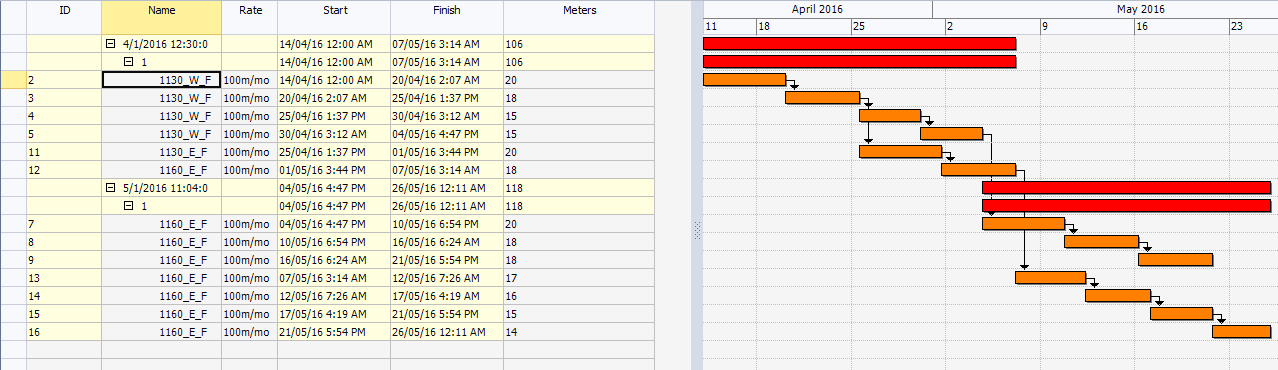
In some cases a grouping interval can be specified:
- grouping summaries based on numeric fields can be generated in intervals (groups) of numbers; e.g. if Tons is used, tasks can be grouped in bands of 1000 tons.
- grouping summaries based on date fields can be generated in intervals (groups) of dates; e.g. if Start is used, tasks can be grouped in bands of months.
Tip: To quickly identify tasks generated from work packages, group by Work Package Total Cycles. This displays all tasks created from the same work package together in the Task Table.
